What Are The Best Paint Color Apps?

Choosing paint colors can be a hassle for some, but now there are different tools to make the process a bit smoother. Some of the most helpful ones can be easily downloaded right to your phone! Others are available online with great features to match colors or visualize new ones! With the help of these apps the decision of which to use will be harder than choosing the color itself!
Choosing a Paint Colors App
While it may seem as easy as jumping into the app store and clicking download, unfortunately there will still be decisions to be made. With one app comes many, and each brand or store has their own app that they will want you to download. Here is a quick breakdown of what are the best paint color apps that are worth a download!
Sherwin-Williams Color Matching App (ColorSnap)
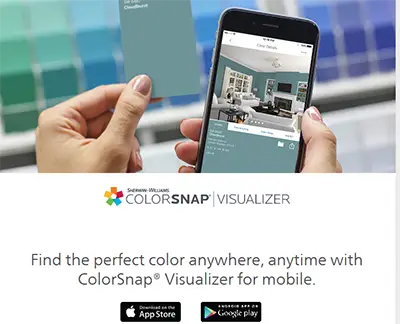
The library covers roughly 1,700 Sherwin-Williams shades, including Universal Khaki SW 6150, their 2026 Color of the Year.
The feature worth downloading it for is Instant Paint. Point your camera at a wall and the app recognizes the surface in three dimensions, then you tap to try a color on in real time. No uploading, no waiting. You’re looking at your actual wall through your phone.
You can still upload a room photo or use one from their gallery if you’d rather work from a still image. Once you land on something, ColorSnap shows you coordinating shades and lets you share the whole palette with whoever else gets a vote.
Free on iOS and Android. Get the Sherwin-Williams paint color visualizer here.
Paint Color App Valspar (Color Visualizer)
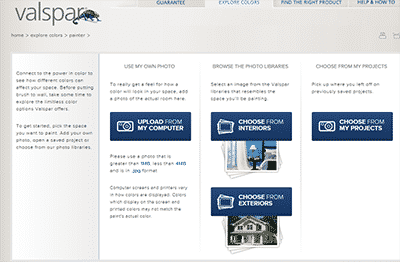
What’s there now is the Valspar Color Visualizer, and it works the other direction. You pick one of their room scenes and paint it virtually, comparing shades side by side until something clicks. Simpler than what came before. For narrowing a shortlist, it does the job.
Where Valspar still wins is samples. You can order up to 10 paint chips delivered to your door for free, which beats squinting at a backlit screen. They also run free virtual color consultations if you want a second opinion from someone who does this for a living.
Valspar is sold mainly through Lowe’s, and it’s a Sherwin-Williams brand now, so the color data lines up cleanly across both systems.
Use the Valspar Color Visualizer here.
Glidden Paint Color Visualizer
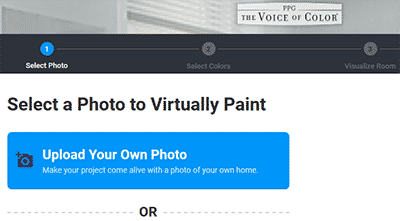
Upload a room photo or start from one of their sample rooms, then paint surfaces virtually to see how a shade reads against your floors and furniture. Glidden is a PPG brand, so you’re pulling from PPG’s color library, and you’ll find the paint at Home Depot and Walmart.
One caveat. The visualizer is still labeled beta. It’s good for narrowing options down. Don’t commit to a gallon based on it alone.
Use the Glidden paint color visualizer here.
Home Depot Paint Color App (Project Color)
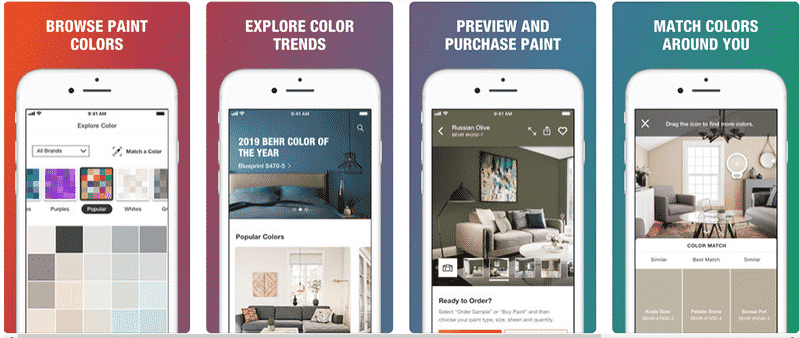
The Home Depot Project Color app runs on iPhone and iPad. Browse the paint colors they actually stock, see what’s trending, match a color that’s already in the room, then preview it and buy it without leaving the app.
It also saves your colors and favorites, so the next project doesn’t start from a blank page. If you’re buying your paint at Home Depot anyway, it earns its spot on the strength of in-aisle convenience alone.
Free to download. Get the Home Depot Project Color app here.
Lowe’s Paint Color App
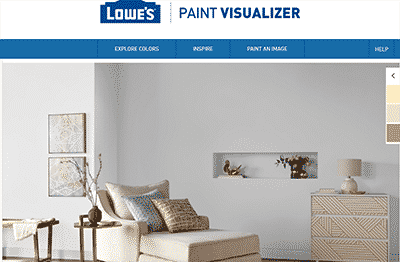
From there you select the shades you want to try, and they line up along the bottom for quick access. You “paint” the room virtually to see how the colors sit next to each other and against the materials already in the space.
When you’re done you can download the image with your full palette attached, showing which color went where. That makes it easy to walk into a Lowe’s, or order online, without second-guessing what you picked.
Get the Lowe’s paint color visualizer here.
Paint My Place Color App (Discontinued)
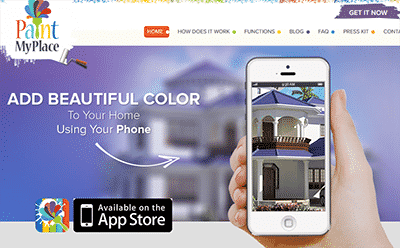
If you came here looking for it, the closest replacements are the AI visualizers further down. They do the same job of painting a room photo without locking you into one brand, and they’re actively updated.
We’ll pull this section entirely once we’re sure it isn’t coming back.
Behr Paint Color App (ColorSmart)
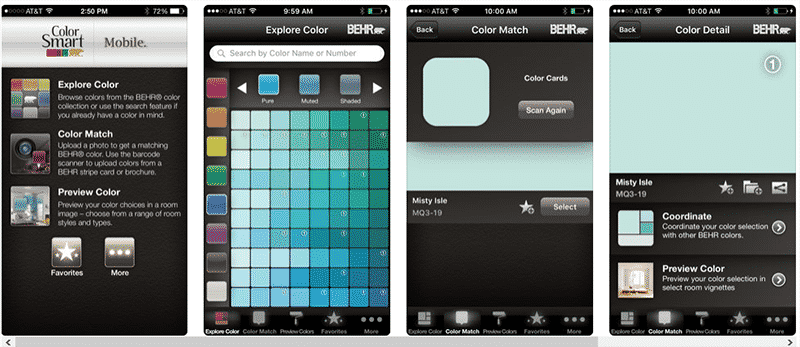
The app is actually called ColorSmart by BEHR, which is worth knowing because searching “Behr” on its own turns up a few different things. It’s on iPhone, Android, and the web.
You get Behr’s full library, more than 2,500 colors across Marquee, Premium Plus Ultra, and Premium Plus. Photo matching, room previews, paint calculations, and an AR overlay mode the web version doesn’t have. Their 2026 Color of the Year is Hidden Gem, a smoky jade.
Two features make this one genuinely useful once you’re standing in the store. You can scan the barcode on the back of any Behr swatch or brochure to pull that color up instantly, and your saved colors sync to your Home Depot account. Behr is a Home Depot exclusive, so that connection actually matters.
Free on iOS and Android. Get the Behr ColorSmart app here.
Benjamin Moore Color Portfolio
If you’re only installing one brand app, this is the strongest argument for making it this one. Color Portfolio is free on iOS and Android, and it does three things well. There’s a virtual fan deck covering Color Preview, Benjamin Moore Classics, Affinity, the Historical Collection, and the off-whites. There’s a photo visualizer where you tap a surface and it masks it automatically, which saves a lot of fiddling around edges. And there’s a video visualizer that lays color onto your walls in real time through the camera.
The interesting piece is the hardware. Benjamin Moore sells a small device called the ColorReader that you hold flat against any surface, and it matches that surface to the closest Benjamin Moore shade. It’s a separate purchase. But if you’re trying to match existing trim, or a color the previous owner used and left no record of, it takes the guesswork out completely.
Benjamin Moore paint sits at the higher end on price. The app costs nothing either way.
Get the Benjamin Moore Color Portfolio app here.
AI Paint Visualizers (The New Option)
This category didn’t exist when most paint apps were built, and it’s now the fastest-moving corner of the whole space. Brand apps drop a flat color over your wall. It reads like a sticker, and you can usually tell. The AI tools work differently. They generate a new image of your room with the color applied, accounting for shadows, wall texture, and the way light actually falls across a surface. The result looks a lot closer to a photo of a painted room than a screenshot of an app.
The other advantage is that they aren’t locked to one brand. You can test any color you want instead of picking from a single company’s fan deck. Handy if you’re comparing a Sherwin-Williams shade against a Benjamin Moore one and don’t feel like opening two apps.
Worth trying: Remodel AI, Paint AI, Paint my Room, and Paint My Wall. Most run free with limits and charge once you’re generating a lot of images.
One honest caveat. A lot of the “best AI visualizer” rankings floating around online are published by the visualizer companies themselves, so take the scores with a grain of salt. Run your own room photo through two or three of them and see which one handles your lighting best. That’s the only comparison that tells you anything.
Paint Color App Comparison
Most of these are free, so there’s no real cost to trying a few. The differences that matter are whether the app has a live camera mode, whether it can match a color from a photo, and whether you’re stuck inside one brand’s paint line. Here’s how they compare.
| App | Platforms | Color Library | Live Camera / AR | Match From Photo | Price |
|---|---|---|---|---|---|
| Sherwin-Williams ColorSnap | iOS, Android, web | About 1,700 SW shades | ✓ Instant Paint | ✓ ColorSnap Match | Free |
| Benjamin Moore Color Portfolio | iOS, Android | Full Benjamin Moore range | ✓ Video visualizer | ✓ Plus ColorReader device | Free |
| ColorSmart by BEHR | iOS, Android, web | 2,500+ Behr colors | ✓ App only | ✓ Plus barcode scan | Free |
| Home Depot Project Color | iOS, iPad | Brands stocked in store | ✓ Yes | ✓ Yes | Free |
| Lowe’s Paint Visualizer | Web only | Brands stocked at Lowe’s | ✗ Upload only | ✗ No | Free |
| Valspar Color Visualizer | Web only | Full Valspar range | ✗ No | ✗ Removed | Free, 10 free chips |
| Glidden Visualizer | iOS, Android, web | Glidden and PPG colors | ✗ No | ✗ No | Free, still beta |
| AI visualizers | iOS, Android, web | Any color, no brand lock | Varies by app | Varies by app | Free tier, then paid |
Quick gut check: if you already know which brand you’re buying, use that brand’s app for the accurate color codes. If you’re still deciding, start with an AI visualizer so you’re not comparing shades across three different fan decks. And whatever you land on, buy a sample pot. No screen has ever gotten north-facing light right.
To see more great ideas, visit our kitchen and interior paint color guides, best bedroom paint colors, or living room paint colors.
To showcase highly specific designs, some images on this website use advanced AI-generation software to illustrate ideas and room inspiration. See our editorial policy to learn more.